Computer Basics for Beginners is an important topic for students in today’s digital world. People call today’s world the ICT age because it is rich in information and technology. Learning computer basics helps students understand how computers work and how they are used in daily life.
What is a computer?
A computer is an electronic machine which accepts data, processes it and give out the meaningful result. It works according to the given instructions.
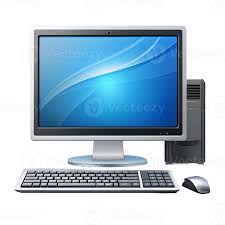
Main Parts of a Computer
- Monitor A monitor is an output device . It looks like a television. To begin with, it displays results on the screen.
- Keyboard A keyboard is an input device. We use it to enter data and instructions into the computer. Moreover, we can type numbers, letters, and other symbols with the help of a keyboard.
- Mouse A mouse is an input or pointing device. It helps user to point things on the monitor. Similarly, we use it to point, click, drag and open files and programs.
- CPU(Central Processing Unit) The CPU is the brain of a computer. It processes data and controls all the computer operation.
- Printer A printer is an output device. However, it is used to print text and images on the paper. Uses of Computers People use computers in many fields. For example, students use computers in education. Similarly, banks use computers for financial transactions. In addition, hospitals use computers to manage patient records. Furthermore, offices, airports, and railway stations use computers for daily operations.
- In education
- In banks
- In communication
- In designing
- In entertainment
- In hospitals
- In airports
- In offices
- In online learning
- In railway station Advantages of Computers: Moreover, computers have changed the way people work, learn, and communicate.
- It speed is high.
- It gives us 100% accurate result.
- It can access to information.
- It has multitasking ability.
- It can store large amount of data. Conclusion In conclusion, computer Basics for Beginners are essential because technology continues to grow every day. Therefore, students should learn computer basics to succeed in education and future careers.
Computer Basics for Beginners